
Claude can now build your whole website, not just edit it
The Claude connector now creates new websites, uploads images, sets up menus, fills in your business details and prepares the legal pages. We tested it by building a complete website.
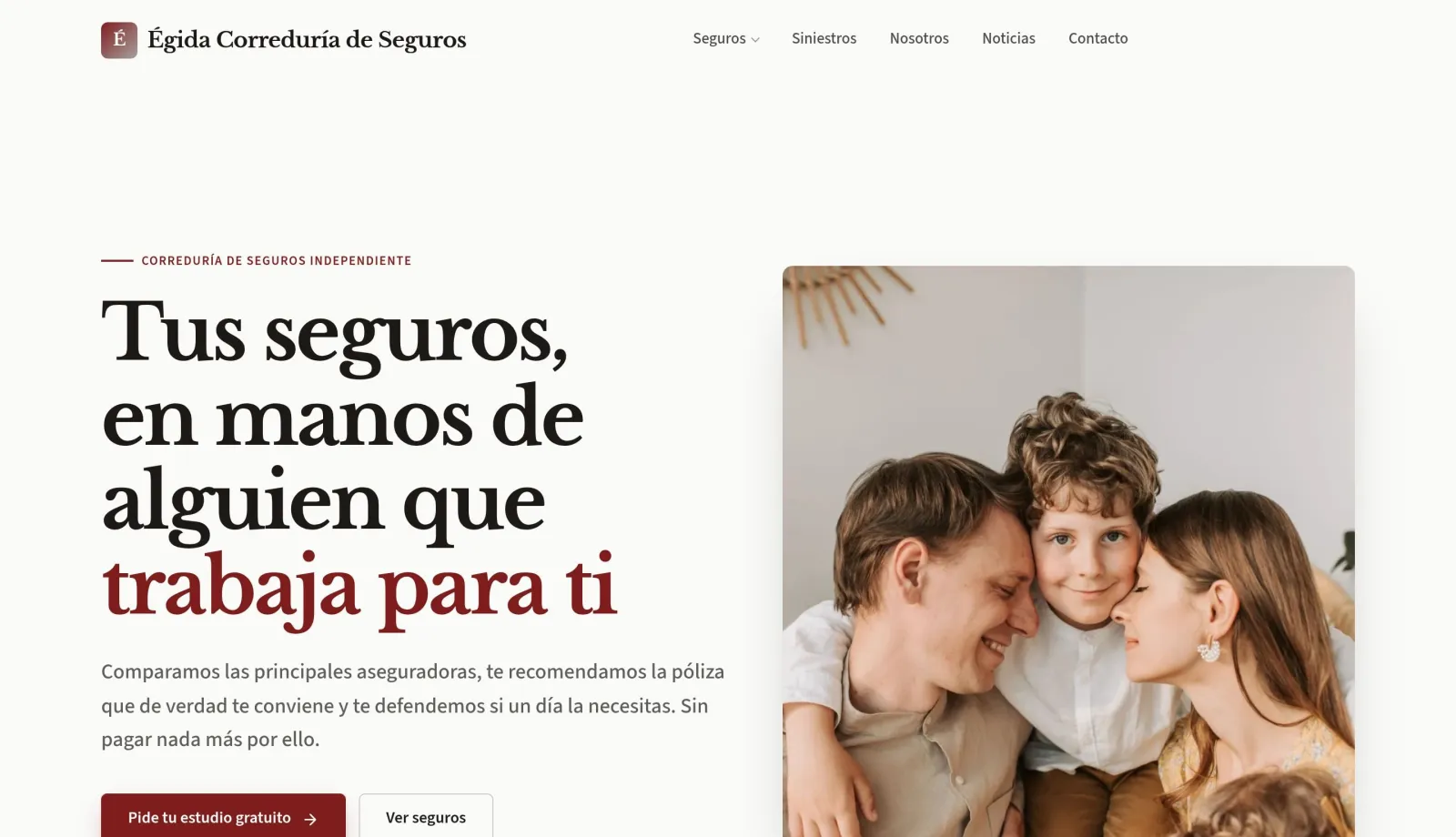
Until now, Claude could edit the pages of a website that already existed: change copy, add blocks, write news posts and publish them. Everything around the pages was missing, and you had to finish that part in the dashboard.
As of this week, the connector covers that part too. Claude can start a website from scratch and get it ready to publish without you opening the dashboard.
What's new
- Create new websites. Give Claude the business name and the language, and it creates the empty website and builds it page by page. To prevent abuse, there is a limit of three new websites a day.
- Upload images. Claude adds photos to your website's library from a public address and uses them in blocks or as the featured image of a post, the one shown in listings. Only use images you have the right to use: your own or those from free stock libraries.
- Menus. It sets up the header menu, with submenus, and the footer menu.
- Business details. Phone, email, address, opening hours and social networks, shown in the footer, on the contact page and in the data Google reads.
- Legal pages. It marks which page is the legal notice, the privacy policy and the cookie policy, so they are linked automatically from the footer and the cookie banner.
- Collections. It creates a blog, a services catalogue or a product catalogue when the website needs one.
We tested it on a complete website
To see how far it goes, we asked Claude for the website of an insurance broker, using another website as a reference for the content but with a different design. In one morning it published Égida: the style, six pages, free stock photos with their alt text, the contact form, a blog with three articles, the menus, the business details and the legal pages.
Some things it did not make up: it asked for the phone number, the address and the legal details before adding them, and since it was a sample website, it marked them as fictitious. You can see it on the examples page.
Drafts and instant changes
Pages, blocks and news posts are saved as drafts: Claude sends you the preview and publishes when you tell it to.
Menus, business details, legal pages and collections have no draft and change the website as soon as they are applied. That is why Claude asks you to confirm before touching them.
If you don't see the new features
- Reconnect the connector. Tools are loaded when a conversation starts. If you had Claude connected before, disconnect and reconnect clixxii in Settings, Connectors, and open a new conversation.
- Check the access level. Creating websites requires the connection to allow it, and publishing requires the publish level. If you change the level in Connected apps, reconnect the connector for it to take effect.
Ideas to try
- “Create the website for my bakery, in English, with the menu, opening hours and how to get there.”
- “Find three free photos of a professional kitchen and put them on the services page.”
- “Put Services, Pricing and Contact in the menu, and the legal pages in the footer.”
- “Change the opening hours: on Fridays we close at 2 pm.”
- “Add a blog and write the first post.”
If this is your first time connecting Claude, start with the Edit with Claude page.
Try it on your website
Create your website with AI and try it free for 14 days, no card needed.