
What's new: multi-step forms, contacts, A/B tests and Stripe payments
Forms that change with the answers, a contacts list with everyone who writes to you, A/B tests of pages, countdowns, real social proof, Stripe payments and glass cards.
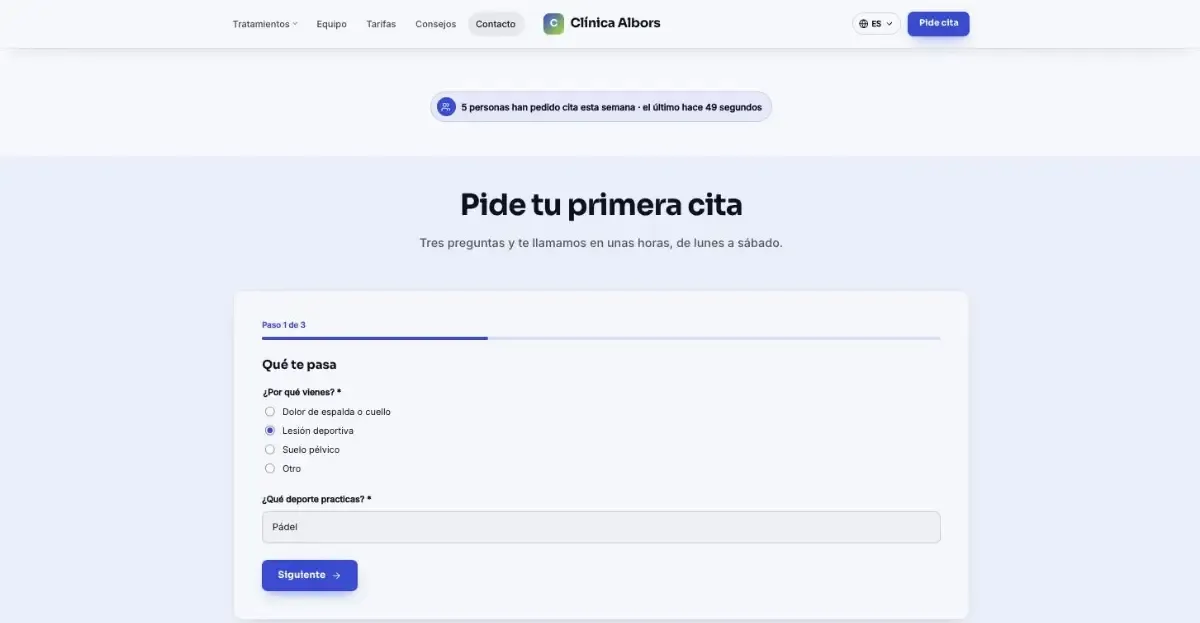
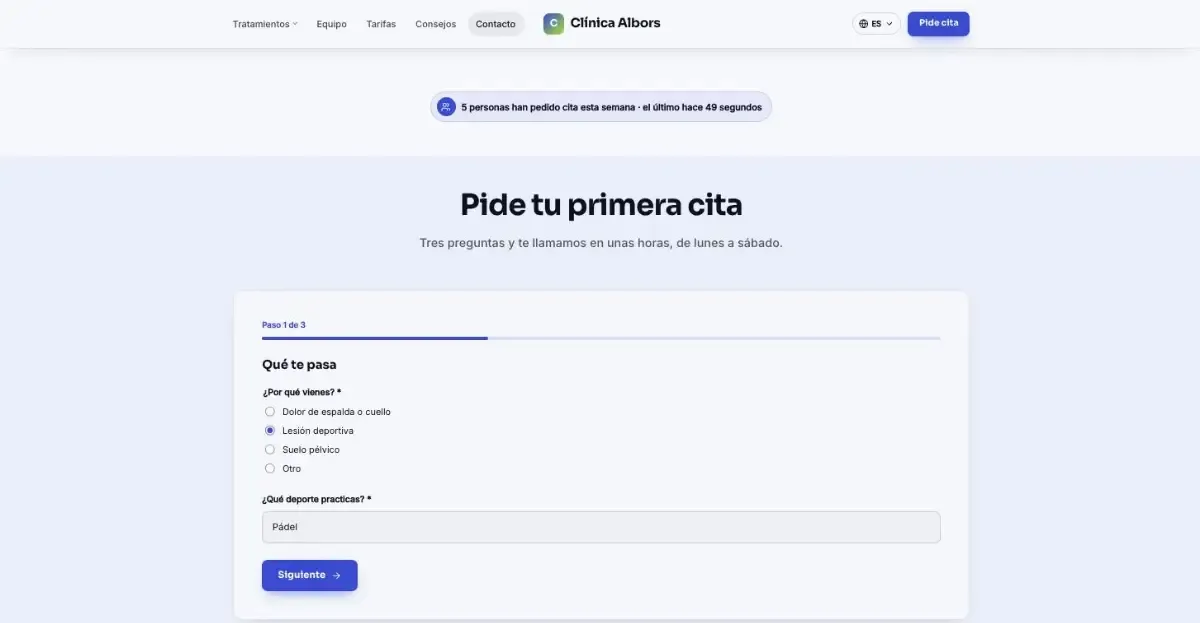
These past weeks we have worked on what happens after someone lands on your website: that they get in touch, that their message is not lost, and that you know which version of a page works better. It is all included in every plan, and Claude knows how to use it too.
Multi-step forms with conditions
A long form scares people off. Now you can split it into steps, with a progress bar and back and next buttons.
- Questions that only appear when they make sense. A question, or a whole step, shows only if the earlier answers match. If someone says they are a private customer, you don't ask about their company.
- A different ending depending on the answers. Each person can see a different message when they send it, go to a different page (for example, your Calendly to book a call) or get a different automatic reply.
- Only what was seen is stored. Answers from skipped steps are not kept, and the inbox shows the outcome of each form.
You can build them in the editor or ask Claude: “make a three-step quote form and, if the budget is over €5,000, send them to book a call”.
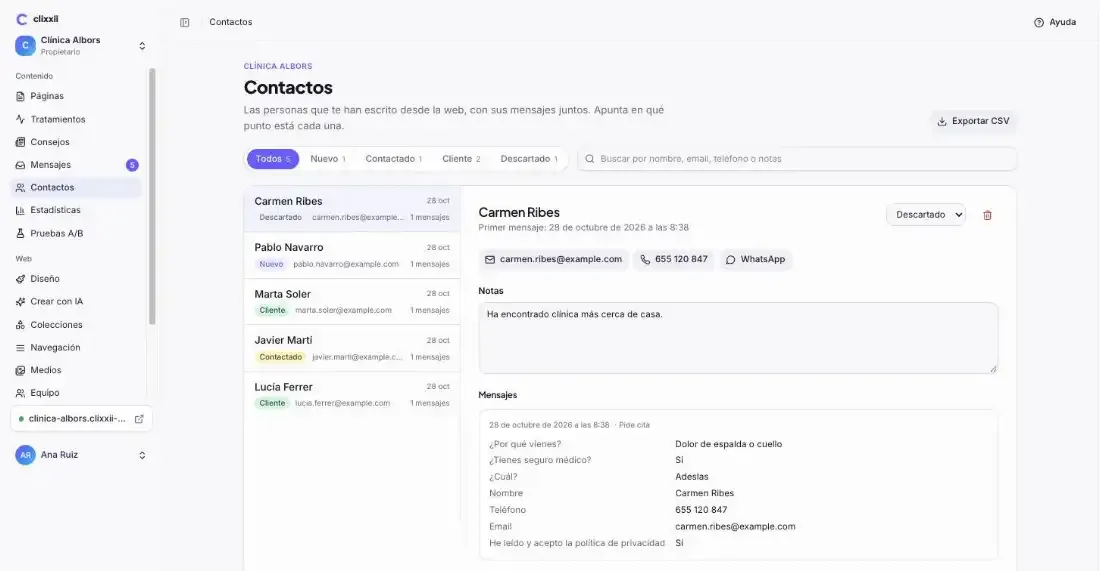
Contacts: each person, with all their messages
Every form message is now filed under the person who sent it. If someone writes twice with the same email or phone number, it is the same contact.
- All their messages together, plus your notes.
- Where they stand: new, contacted, customer or dismissed.
- Buttons to email them, call them or open WhatsApp.
- CSV export, and full erasure with their messages if they ask for it.
Contact details are stored encrypted. It doesn't replace a big CRM, but it is enough for most businesses, and if you already use HubSpot, Brevo or Odoo, messages keep arriving there.
A/B tests of pages
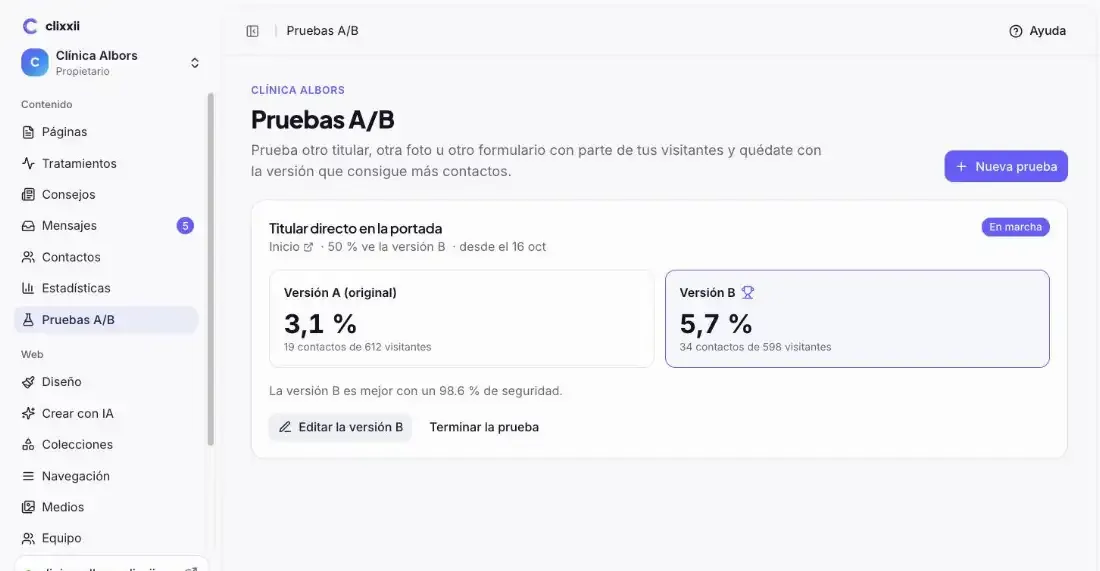
Does the new headline work better? The button at the top or at the bottom? No more guessing.
- You make a copy of the page, version B, and change it however you like.
- You choose what share of visitors sees it. Both versions live at the same address and each visitor always sees the same one, without cookies.
- We count the visitors and contacts of each version: forms, calls, WhatsApp and emails, and tell you how sure we are that B is better.
- When you finish, you keep A or bring B's content to the page and publish it.
Version B does not appear in Google and can't be opened on its own, so it doesn't compete with your page.
Countdowns and urgency notices
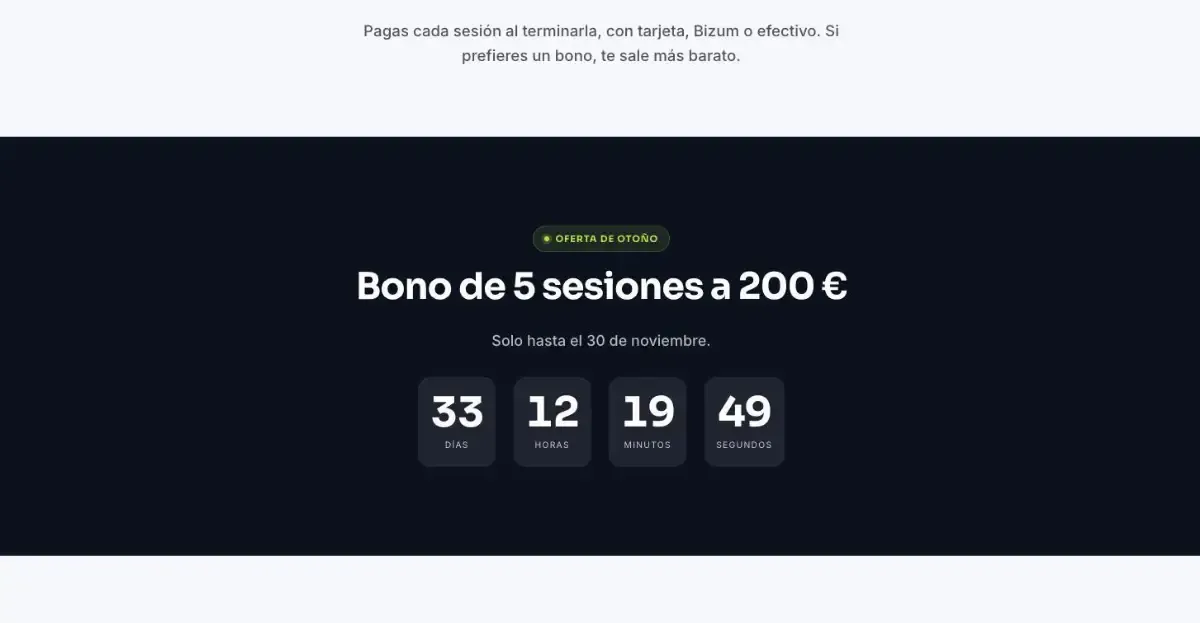
- A countdown to a date: the end of an offer, an opening or an event.
- Or with each visitor's own deadline: for example, 48 hours from their first visit.
- Notices with a countdown: the top bar turns into an urgency bar and disappears by itself when time is up.
Social proof with real numbers
A new block shows how many people have used your forms recently: “12 people asked for a quote this week”. It can sit inside the page, as in the first screenshot, or appear as a floating notice.
The numbers are real. Spam doesn't count, no names or personal data are shown and, if the number is too low to be convincing, it stays hidden.
Payments with Stripe
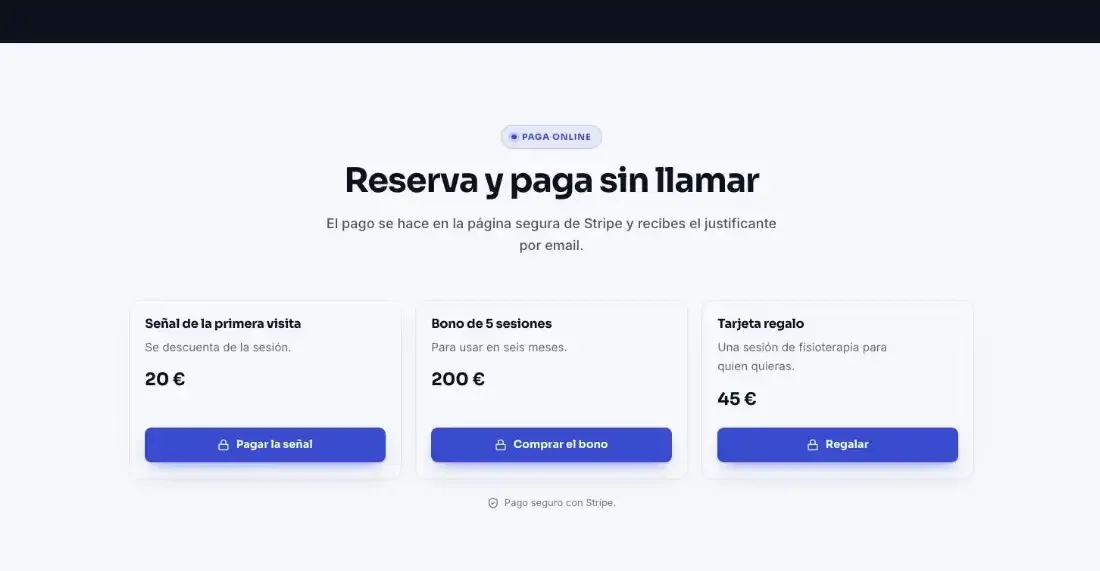
To take payments without setting up a shop: a product, a booking deposit, a gift voucher or a donation. You create a payment link in your Stripe account and add it to the new block, with what is being paid for and its price.
Payment happens on your own Stripe page, and the block only accepts Stripe addresses. Anyone who clicks to pay counts as a contact in the stats and in A/B tests.
Glass cards
A design touch: cards can be see-through, with a blurred background, a light edge and a soft shadow. People who have asked their device for less transparency see them plain. You pick them in the website's style, and Claude can set them too.
A change in pricing
Plan prices are now shown excluding VAT, which is added at checkout according to your country, and the Agencia plan now costs €99 per month (€990 per year). All the details are on the pricing page.
Ideas to ask Claude
- “Turn the contact form into a three-step one and only ask businesses for their budget.”
- “Add a countdown to 30 November on the offer page.”
- “Show on the home page how many people wrote to us this week.”
- “Add a block to pay the booking deposit with this Stripe link.”
- “Use glass cards across the style.”
If it is your first time connecting Claude, start with Edit with Claude.
Try it on your website
Create your website with AI and try it free for 14 days, with no card.