
Christmas gift cards: how to sell them from your business website
How to sell gift cards and packs of sessions from your own website this Christmas: what to offer, how payment works, how the gift arrives on the day chosen and how it is redeemed when booking, with no fee per sale.
In December lots of people look for a present that takes up no space: a dinner, a massage, a class, a photo session. If your business sells experiences, a gift card is the easiest way onto those lists. And if it is bought on your own website, the money reaches your account and whoever receives it ends up coming to your place.
What you can sell as a gift
You don't need to invent anything: what works best is what you already sell, with a name people want to give.
- An experience used once: “Dinner for two with live music”, “60-minute relaxing massage”, “Cut and style with treatment”. With a set price and what it includes clearly explained.
- A pack of sessions: ten yoga classes, five physio sessions, a pack of car washes. It is used up little by little and the customer comes back several times.
Two or three options are enough. More options make people hesitate and leave it for another day.
What a good gift card needs
- It is bought in two minutes, on a phone, and paid by card.
- It carries a personal message and can be sent to the person on the day you choose: Christmas Eve, New Year or their birthday.
- It can be printed, for those who prefer to hand something over, with a code that is easy to read out and a QR.
- It says how long it is valid and what it includes, so there are no misunderstandings at the counter.
- It is redeemed without paperwork: when booking on your website, by typing its code, or at the counter.
Why on your website and not on a platform
Voucher and gift platforms bring you people, but they keep a share of every sale and the customer is theirs: you don't get their email or know who gave what. Selling from your website, you are paid into your own account, every buyer becomes one of your contacts and you can write to them next year, when they are looking for a present again.
How to do it with clixxii, step by step
- Turn on Vouchers and gift cards in your website's dashboard. It is free during the trial; after that, €9 a month per website, with no fee per sale.
- Connect how you get paid in Payments: your Stripe account or your bank's Redsys virtual POS. The money goes straight to your account.
- Create what you sell: name, price, photo, how many uses, which service or table it is for, how many months it lasts and its terms. Or ask Claude in one sentence.
- Add the block to a “Give a gift” page and put it in the menu, especially in December.
When someone buys, they get the voucher by email with its code and QR. If it is a gift, the other person receives it on the day chosen with the message, and a month before it expires they are reminded that they still have uses left.
How it is redeemed
If you have table bookings or online bookings, the booking form asks whether they have a voucher: they type the code and the table or appointment is paid, with no deposit. If they cancel in time, the use goes back to the voucher. And for those who arrive with a printed voucher, you find it in the dashboard by its code or name and redeem a use with one click.
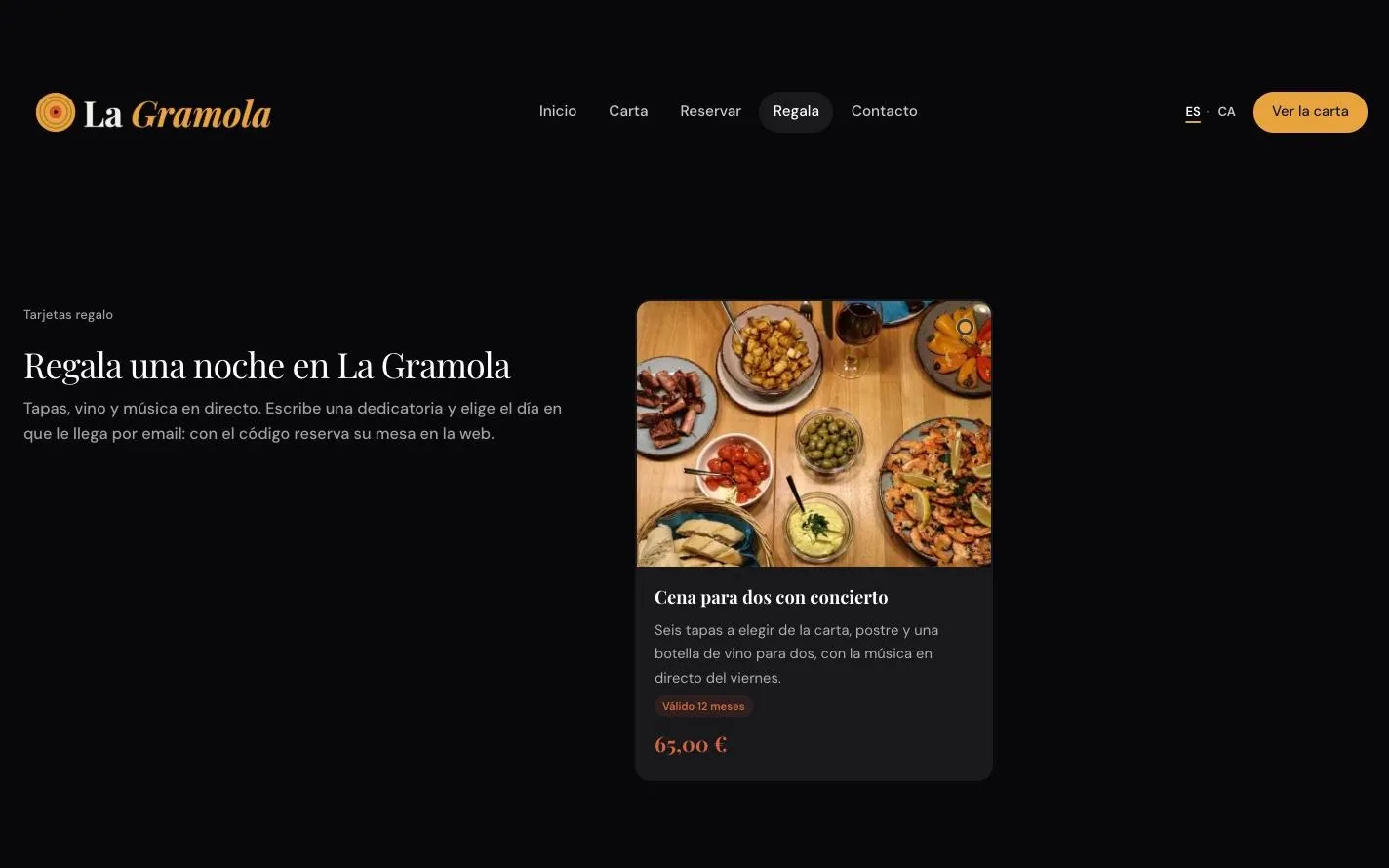
You can see it working at La Gramola, our example restaurant, and find all the details in gift cards and vouchers.
A calendar so you are not late
- Mid-November: create your gift cards and the “Give a gift” page.
- From Black Friday: add it to the menu and mention it in a notice bar at the top of your website.
- In December: tell your followers and customers; last-minute shoppers are glad not to leave home.
- After the holidays: leave it on your website. Birthdays, Valentine's Day and Mother's Day come round too.
Sell gift cards from your website this Christmas
Build your website and try vouchers free for 14 days, no card needed.