
Your members' fees, charged automatically from your website
Clubs, academies, gyms, studios and associations: your members choose their fee, create their account on your website and pay every month by card or direct debit. You just see who is up to date.
Free during the 14-day trial · Then €19 a month per website

From «I want to join» to an up-to-date member
-
You create your fees
Adult, Junior, Family, Yearly... Each with its monthly, quarterly or yearly price and, if you like, a sign-up fee, limited places and a members' discount.
-
You put them on your website
With the «Subscriptions» block on a «Join us» page, in your design. Or ask Claude in one sentence.
-
Your member joins
They create their account on your website with their email and password, choose the fee and pay on a secure page: Stripe's or your bank POS's.
-
Charged every month
Renewals are charged automatically. If a charge fails, we tell you and your member, and it is tried again before the subscription ends.
Your fees, in your design
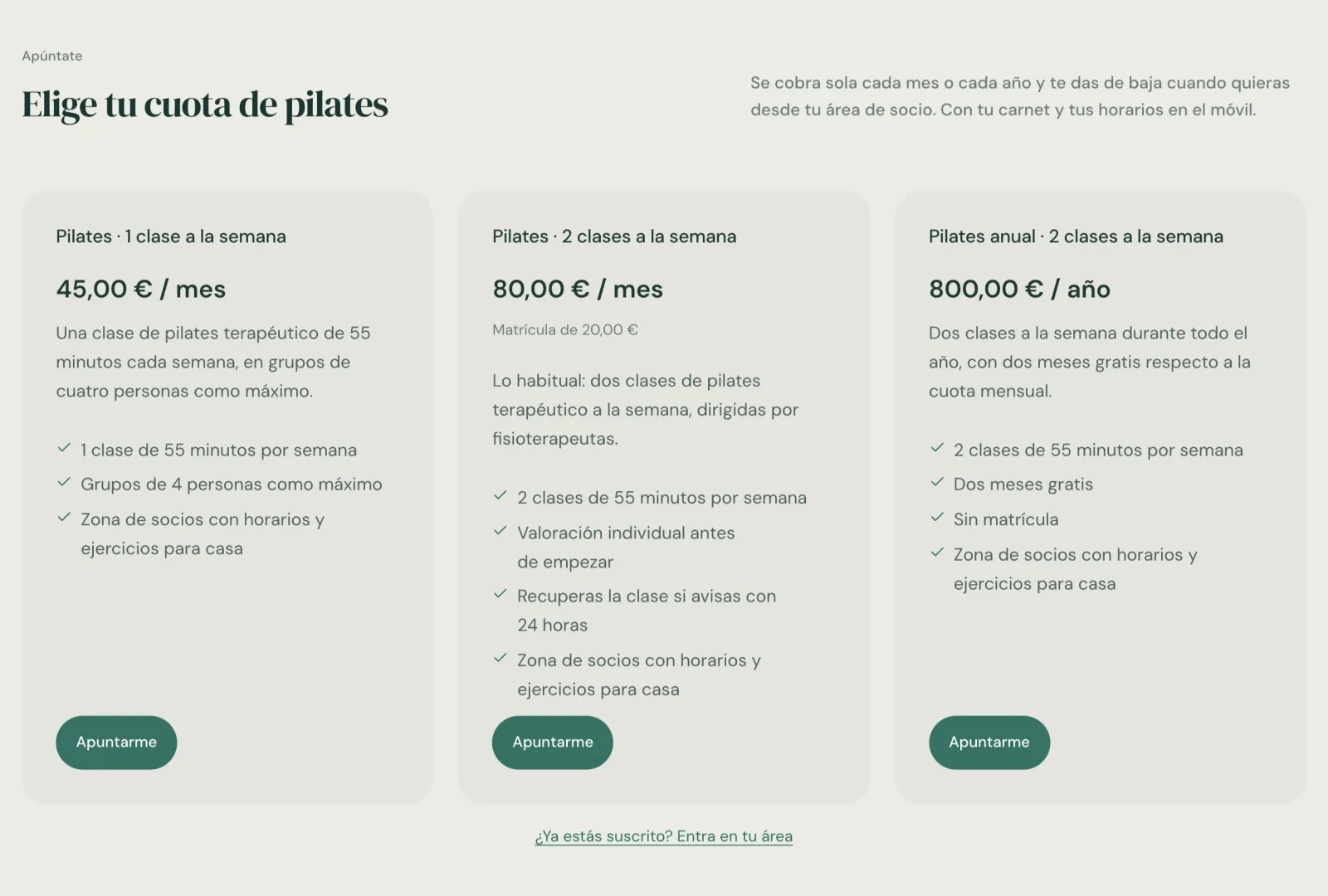
The «Subscriptions» block shows each fee with its price, the sign-up fee, what it includes and the places left. When they press «Join», your member creates their account and pays on a secure page, staying on your domain until the payment.
- Monthly, quarterly or yearly, with a sign-up fee if you like
- «3 places left» when a fee is filling up
- A link for existing members to go to their area
Their card and receipts, always at hand
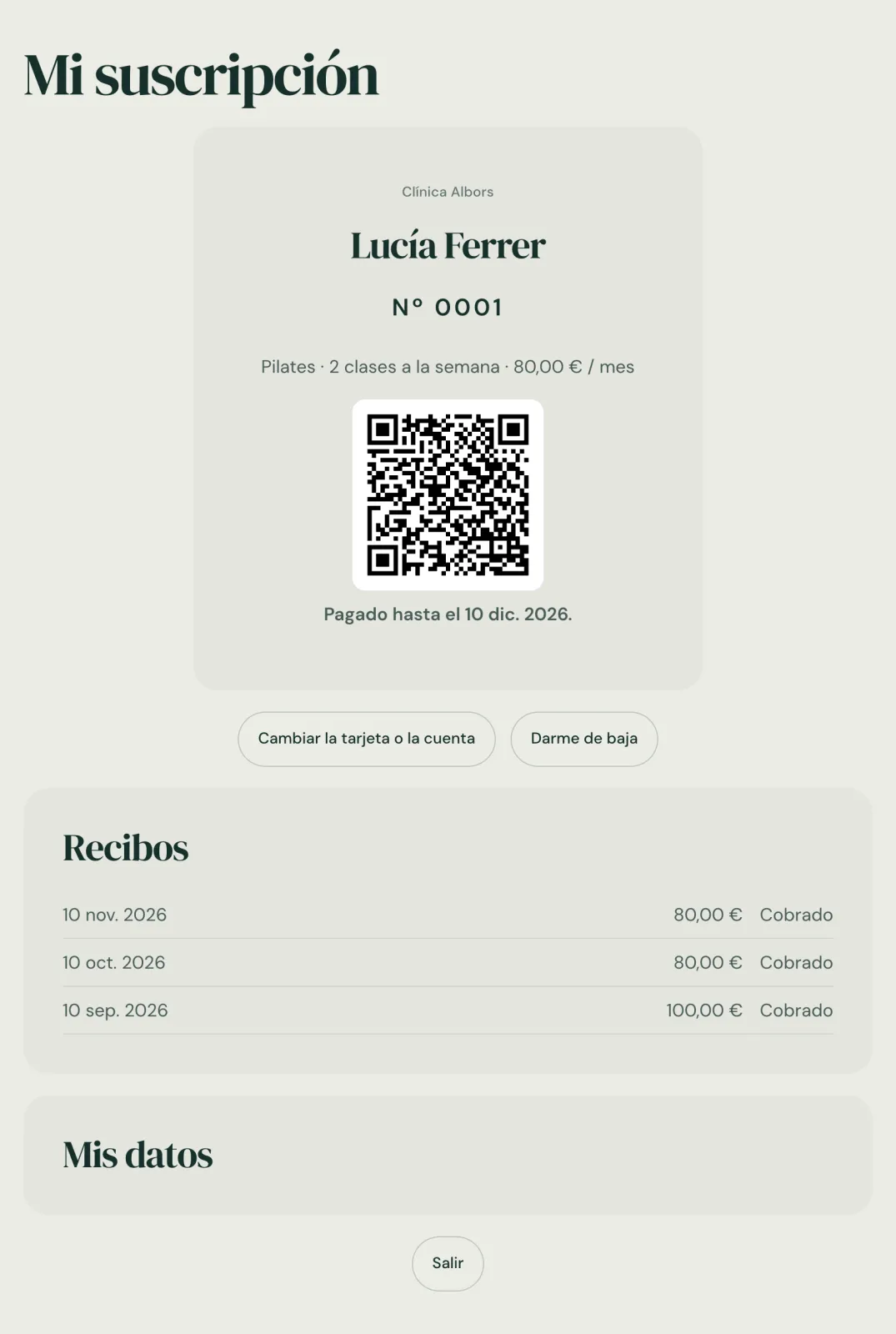
Each member logs in to your website with their email and password. There they have their card with their number and a QR code you scan at the door, the date they have paid until and all their receipts.
- Change the card or account for the next charges
- Cancel at the end of the period, without calls or emails
- Their details and password, and delete their account if they wish
What a club, an academy or a gym needs
On your domain and in your design, without sending your members to another app.
-
Monthly, quarterly or yearly
Several fees at once, each with its own frequency, its sign-up fee and, if you like, a maximum number of places.
-
Card or direct debit
With your Stripe, your members pay by card or SEPA direct debit. With your bank's POS (Redsys), the website charges each fee to the card they left.
-
Card with a QR code
Each member has their number and their card on their phone. Scan the QR at the door and see at once whether they are up to date.
-
Members-only pages
Internal timetables, videos, documents or the members' area: mark a page as «Subscribers only» and only those up to date can see it.
-
Member price
Each fee can give a discount on the tickets, table menus and deposits, and vouchers your members buy on your website.
-
Their area on your website
Your member logs in with their password to see their card and receipts, change their card or cancel at the end of the period.
-
Those who pay by hand
Add those who pay you in cash or by transfer, until the date they have paid. They get their card too.
-
Automations
An email a week after joining, a notice when a charge fails or an invitation to come back a month after leaving.
-
Run it by talking to Claude
With the connector, Claude creates the fees, finds a member, adds someone who pays by hand or tells you who has a charge pending.
All your members at a glance
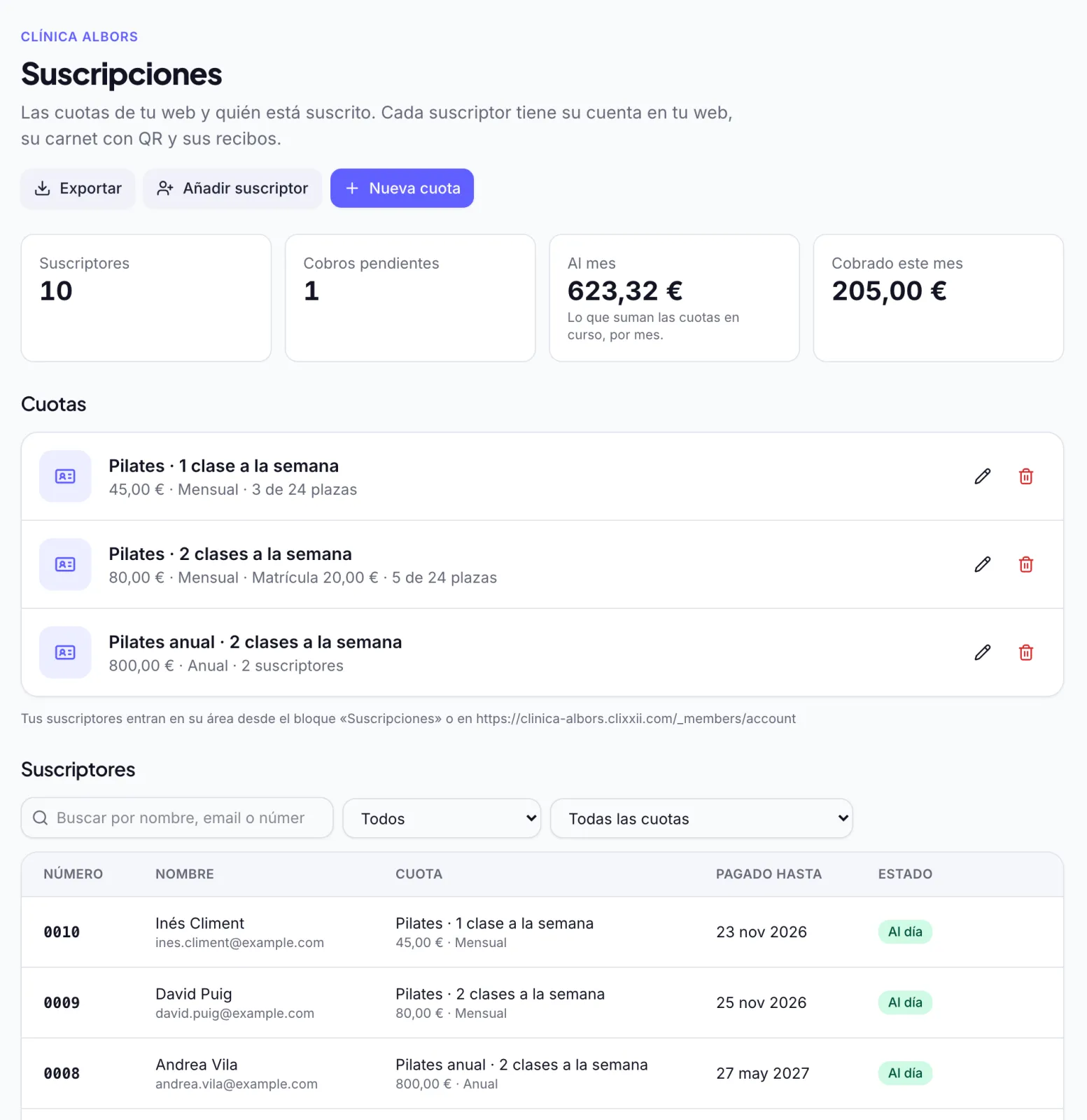
In Subscriptions you see how many members you have, what the fees add up to per month and what has been collected this month. Search by name, email or number, filter by state or fee and open each member's page with all their payments.
- Up to date, payment pending, cancelling at the end of the period or ended
- Each member in your contacts, with their subscription in their history
- Export the list to Excel whenever you need it
No spreadsheets, no chasing payments one by one
Many clubs, academies and associations keep their fees in a spreadsheet and collect them one by one, by transfer or in cash, chasing whoever is late. With clixxii subscriptions, your members join from your own website and the fees are charged automatically into your account. The money goes straight to you, with no commission per fee: you pay a fixed monthly price, whether you have ten members or five hundred.
They work with the contacts and automations of your website, with the tickets of your events and with vouchers and gift cards, which your members can buy with their discount. And if you prefer to work by talking, see how to run your website with Claude.
Frequently asked questions
How much does it cost?
It is an add-on not included in any plan: €19 a month per website, or €190 a year with a yearly plan, plus VAT. No commission per fee and no limit on members.
Can I try it for free?
Yes. During the 14-day trial you use it for free, without a card. If you then choose a plan, it stays on and is added to your subscription.
How are the fees charged?
With your Stripe account, your members pay by card or, if you have it turned on in your Stripe, by SEPA direct debit, and Stripe charges each renewal. With your bank's POS (Redsys), the website charges each fee to the card your member left. For that, your bank has to turn on payment by reference and recurring charges on the POS.
What if a charge fails?
We tell you and your member, who can add another card from their area. They keep their access for a few days while it is sorted out. With Redsys it is tried again after 3 and 7 days, and then the subscription ends.
Do my members need a password?
Yes: each member creates their account on your website with their email and a password that only works on your website. If they forget it, they get a new one by email.
Can I have members who pay by hand?
Yes. Add them in the dashboard with the date they have paid until, and they get their account and card like everyone else.
How does a member cancel?
From their area on your website, whenever they like. They keep their access until the end of what they have paid and are not charged again. You can also cancel it from the dashboard.
Start collecting your fees from your website
Create the website of your club or academy and try subscriptions free for 14 days, no card needed.