
Your class timetable, with the places in view
Put your weekly timetable on your website and let your students book their place. When a class fills up, they join the waiting list, and if someone cancels, the place goes to the next one on its own.
Try clixxii free for 14 days, no card needed
- Live
- places left in each class, live
- Automatic
- waiting list that moves on its own
- €0 extra
- included in Online bookings
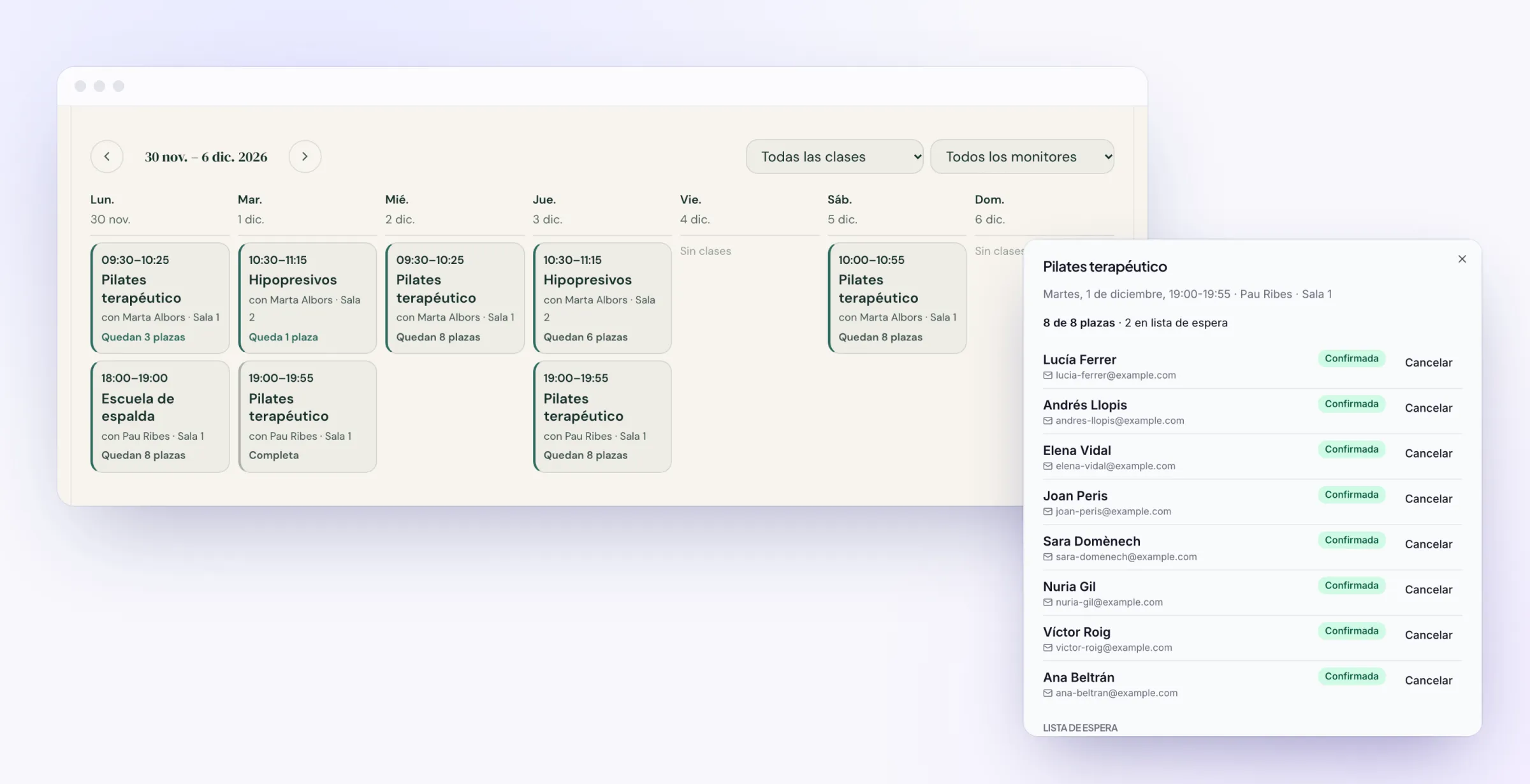
A week in view, and booking takes one click
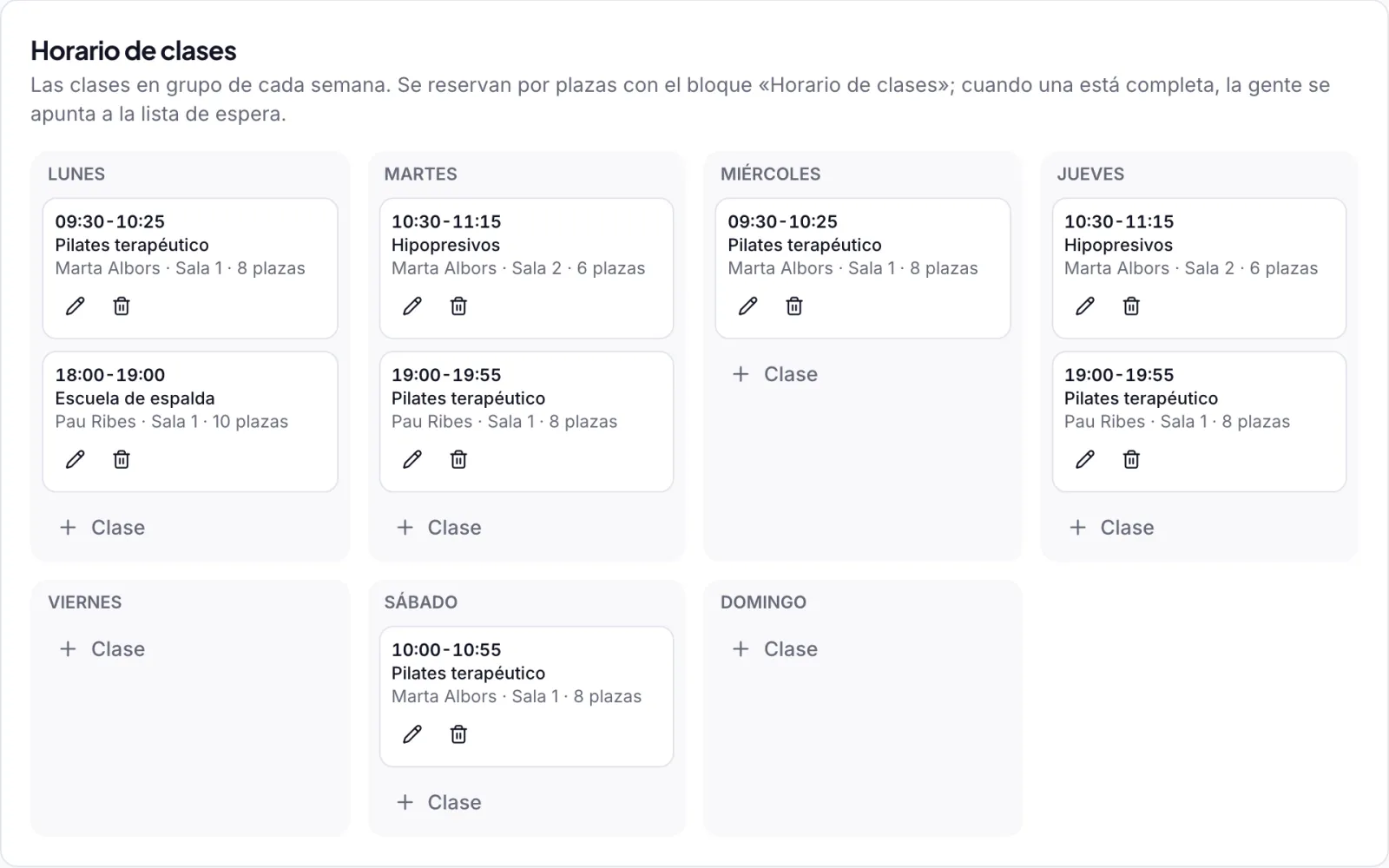
You set up the timetable once: pilates on Mondays and Wednesdays at 9:30, spinning on Tuesday at 19:00, yoga on Saturday. Each class with its instructor, its room and its places, and for a course, from which day until when.
On your website, the «Class timetable» block shows the week with what is left in each session: «3 places left», «Full». Your student picks one, enters their name and email, and books. The confirmation arrives at once, with the link to cancel if they cannot come.
- Filters by class and by instructor
- One or more places in the same booking
- On a phone, the week as a list by day
- Nobody can book the same class twice
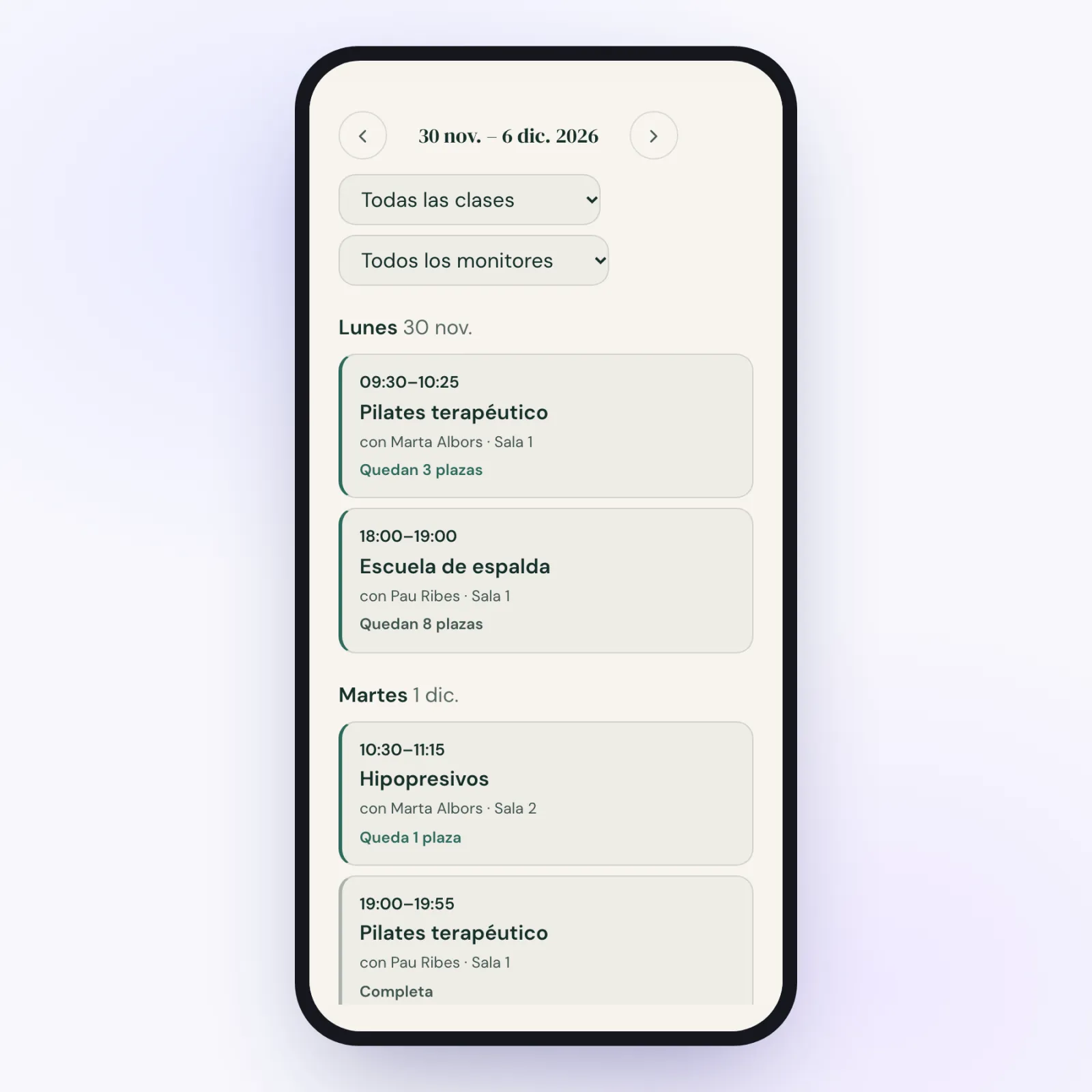
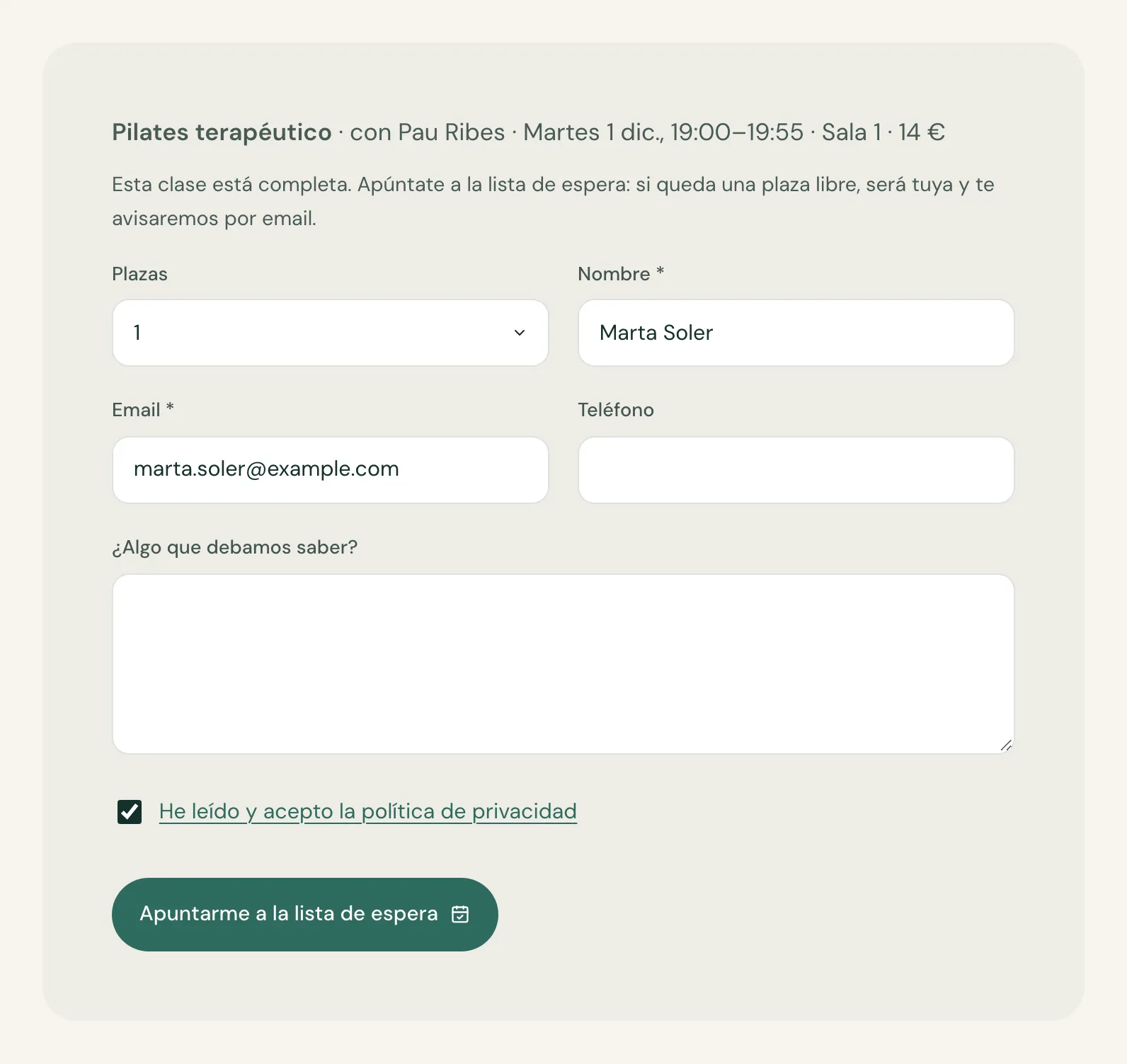
A waiting list that moves on its own
When a class is full, whoever comes late does not leave: they join the waiting list. If someone cancels, the place goes to the first one on the list by itself, and they get an email: «You have a place!». You do not have to call anyone.
Your students can cancel their place up to the hours before that you decide, so the place reaches someone else in time. And whoever is waiting can leave the list whenever they want.
- The free place goes to the first on the list
- If they wait for two places and one is free, it goes to the next
- Automatic email when they get a place
- You set until when a place can be cancelled
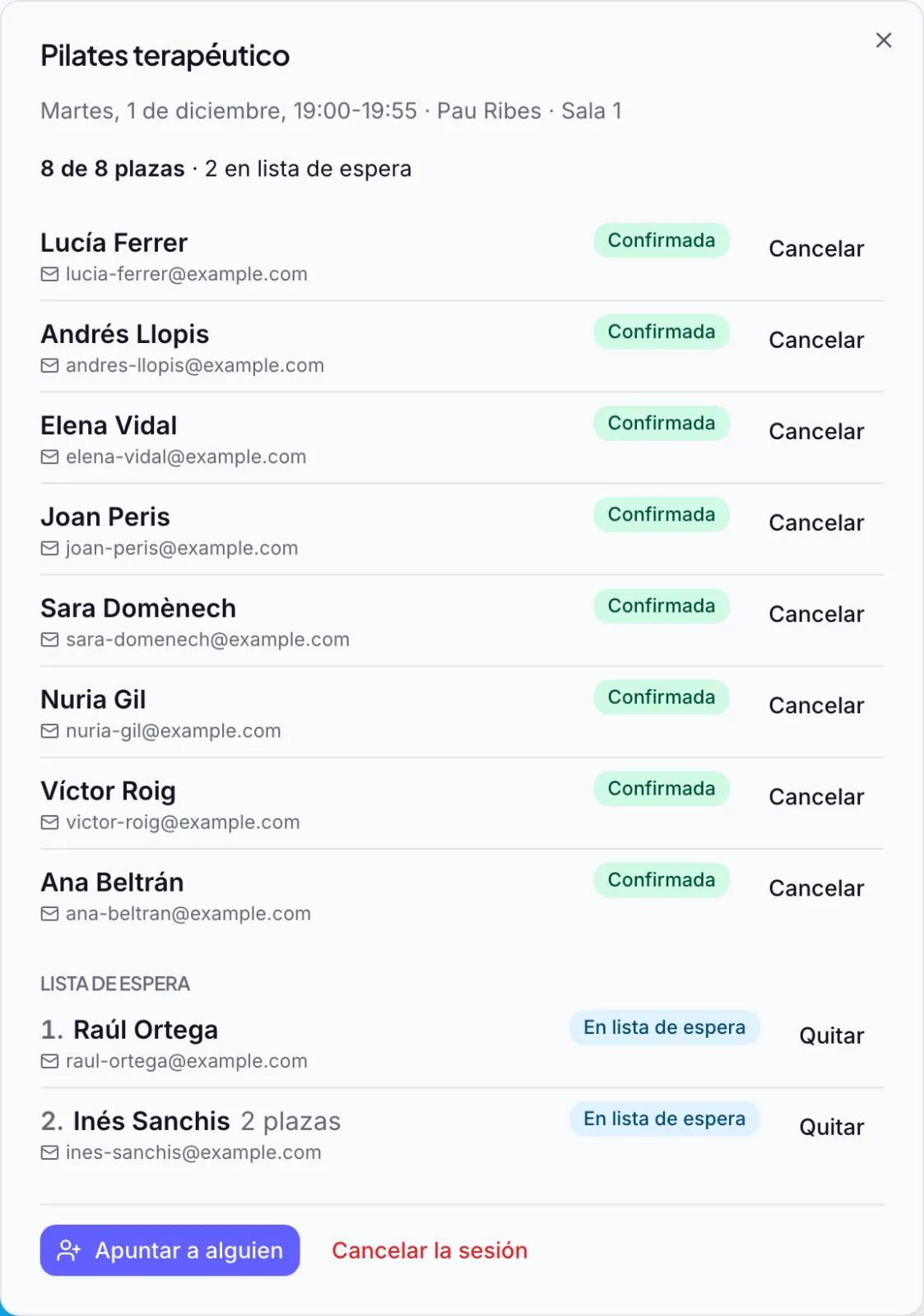
You know who comes to each class
In your agenda, each session shows how it is going: «6/8», «8/8 +2». Open it and you see who is coming, with their phone and email, and who is waiting. Mark who did not come, add someone who calls you or cancel a place.
Instructor off sick or a bank holiday? Cancel that session with a reason and everyone booked gets an email. The other weeks stay the same. And while an instructor teaches, nobody can book an appointment with them.
- How full each session is, in the agenda
- Take the register: who came and who did not
- Add people by phone, even when it is full
- Cancel a session and tell everyone
Classes and appointments, in one place
Each place is a booking like any other, so everything you already have in Online bookings works: the confirmation and reminder emails, the automations, each student's card with their classes, and Claude.
You can mix classes and appointments on the same website: a physiotherapy centre with one-to-one sessions and group pilates, or a gym with personal training and group classes.
- Reminder email before each class
- Each student's history in their card
- Automations: welcome, book again...
- Ask Claude to set up your timetable
For any business with group classes
-
Gyms and boxes
Spinning, body pump, cross training or functional, with their places and a waiting list for the classes that always fill up.
-
Yoga and pilates studios
Yoga, pilates, barre or meditation: small groups and regular students who book their place every week.
-
Physiotherapy
Therapeutic pilates, hypopressives or back school, alongside your one-to-one sessions.
-
Schools and academies
Dance, music or martial arts, with courses that start and end on a date.
-
Workshops
Ceramics, cooking or photography: few places per session and bookings for two or three people.
-
Training centres
Language groups, tutoring or exam preparation, with their classroom and their teacher.
How it works
-
Create your classes
In Bookings, mark a service as a «group class» and tell it how many places it has.
-
Build the timetable
Put each class on its day and time, with its instructor and room.
-
Put it on your website
Add the «Class timetable» block to a page of your website.
-
And teach
Your students book, the waiting list moves on its own and you see who is coming.
Frequently asked questions
How much does it cost?
It is included in Online bookings, the add-on of €19 a month per website, VAT not included. You pay nothing more for classes, and no fee per booking. During the 14-day trial you use everything for free.
Can classes be paid online?
Not for now: your students book their place on the website and pay at your centre, as they do now.
Can one person book for several people?
You decide how many places one person can take in a booking, from 1 to 20. By default it is 4, to come with friends or family.
How does the waiting list work?
When someone cancels, the place goes by itself to the first one on the list who fits: if the first waits for two places and only one is free, it goes to the next. Whoever gets a place receives an email and you see it confirmed in the agenda.
What about term courses or bank holidays?
Yes. Give the class a start and end date and it only shows in those weeks. A bank holiday or a sick day is cancelled session by session from the agenda, and if you close the whole centre for a few days, the classes of those days do not show.
Can I run it with Claude?
Yes. With the clixxii connector, Claude builds your timetable, tells you how the week's classes are going, adds someone who called you or cancels a session telling everyone.
Fill your classes without picking up the phone
Create your website with clixxii, set up your class timetable and try it free for 14 days, no card needed.