
Bring your customers back without having to remember
Note the car inspection, the vaccine or the next check-up on your customer's card. A few days before, they get an email from you with a button to book, and every month you see how many bookings and euros it brought you.
Try clixxii free for 14 days, no card needed
- 4
- emails a month at most to each person
- 1 click
- for them to book again
- 30 days
- what they bring, in bookings and euros
Note the date once. It remembers for you every year
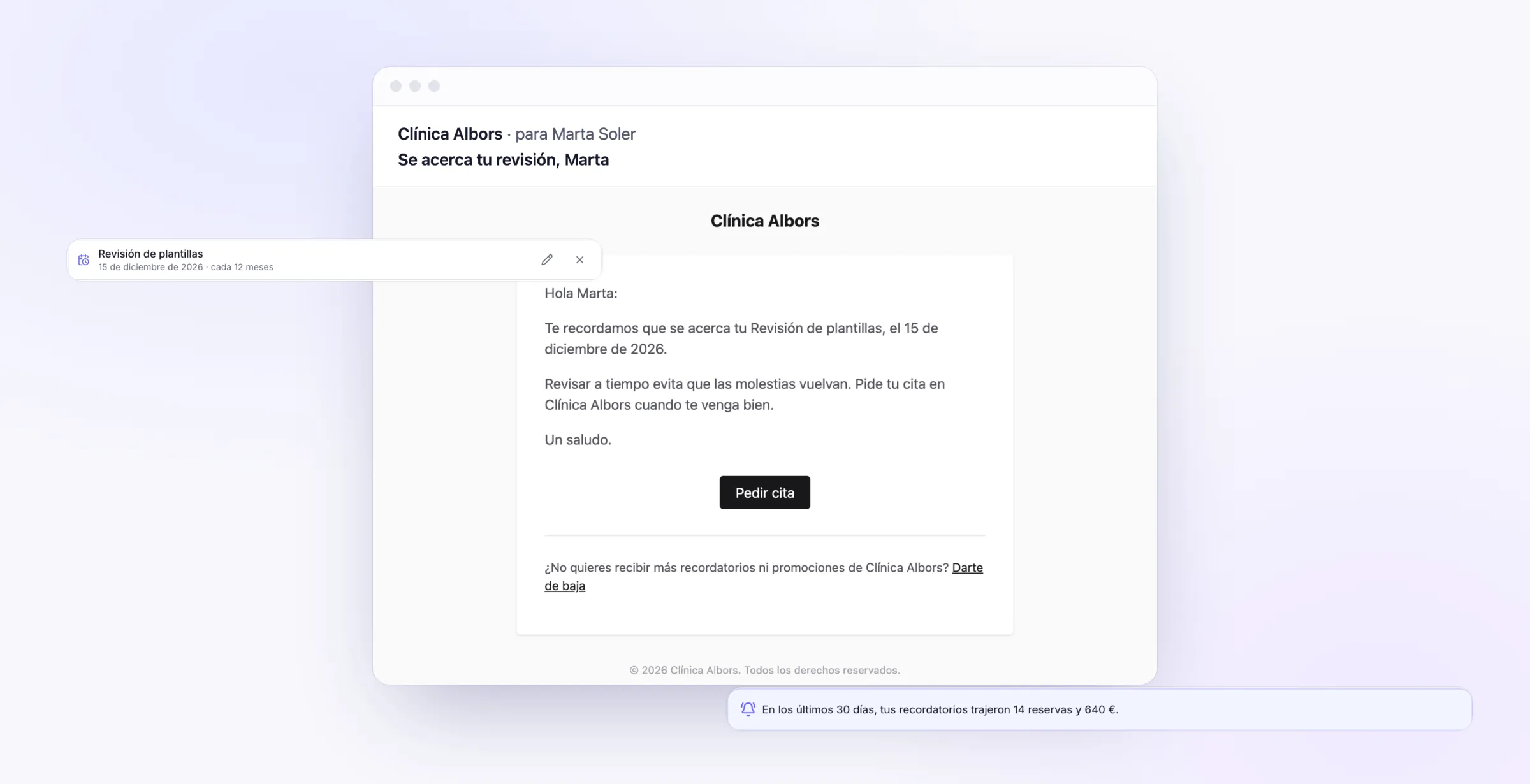
Every customer card has “Dates to remind”: a name, like “ITV Seat León” or “Rabies vaccine · Toby”, and the day. If it repeats, say every how many months: once it passes, the date moves to the next time by itself and the reminder goes out again.
You note them while you serve the customer, or you ask Claude: “add Marta's insoles check-up on 15 December, every year”.
- Up to 20 dates per customer, each with its name
- Repeating every 6, 12 or as many months as you like
- For the car, the pet, the eyes or the next check-up
- Also from Claude, just by asking
An email from you, with a button to book
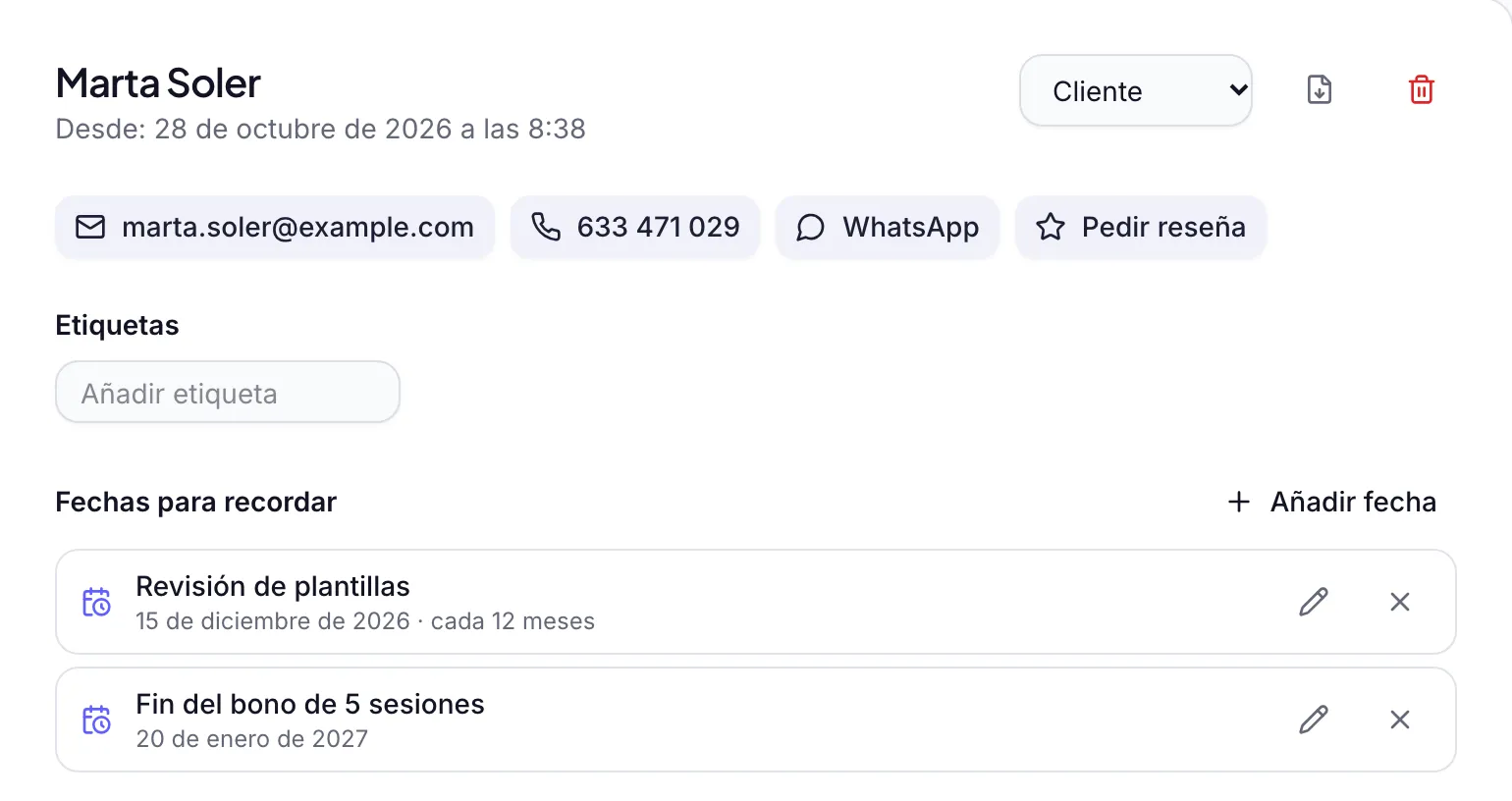
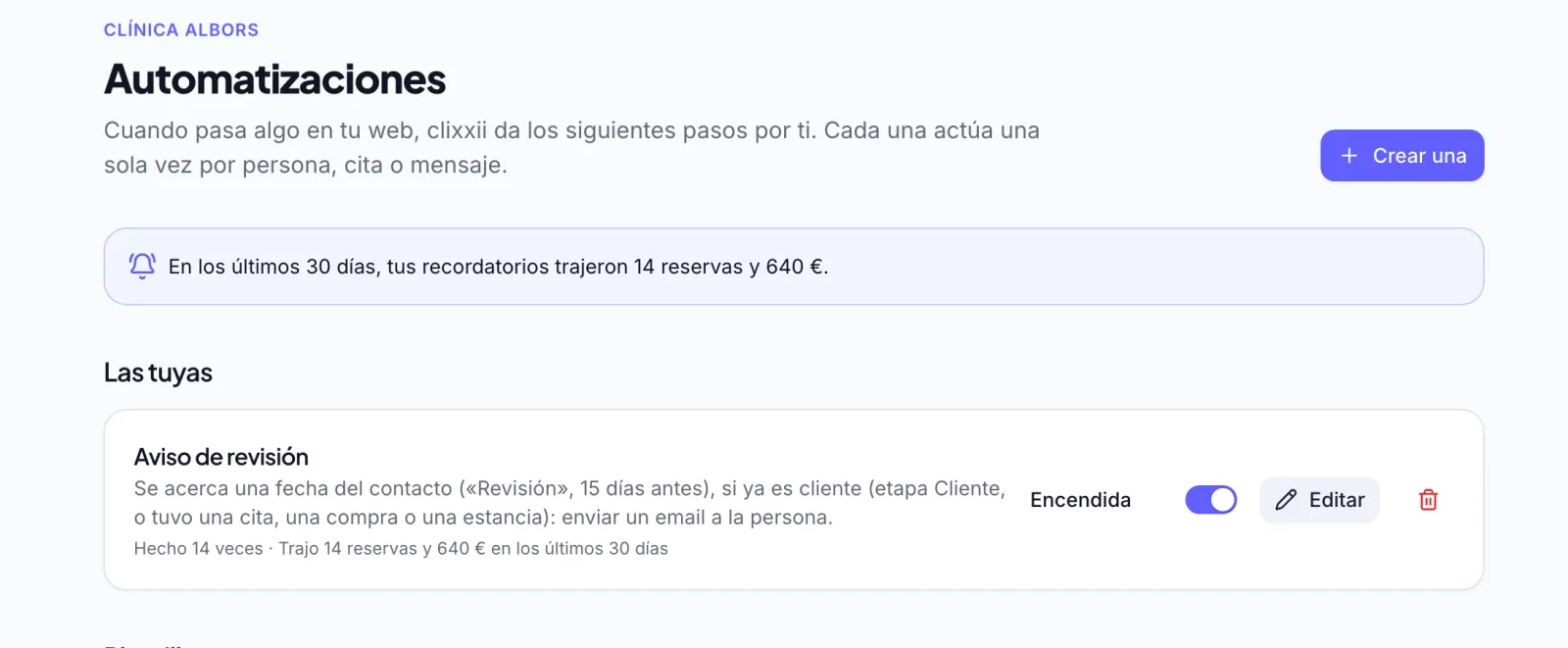
Choose which dates it reminds of (those with “inspection”, “vaccine” or “check-up” in their name) and how many days ahead. Write the email in your own words: the person's name, the name of the date and its day fill themselves in.
The button opens your booking page with the service already chosen, in your customer's language. They open the email, tap and book without looking for anything.
- As many days ahead as you decide, from 0 to 365
- Sent between 9:00 and 21:00, never in the middle of the night
- The button opens the booking with the service chosen
- Only to people who are already your customers
Know what they bring you, in bookings and in euros
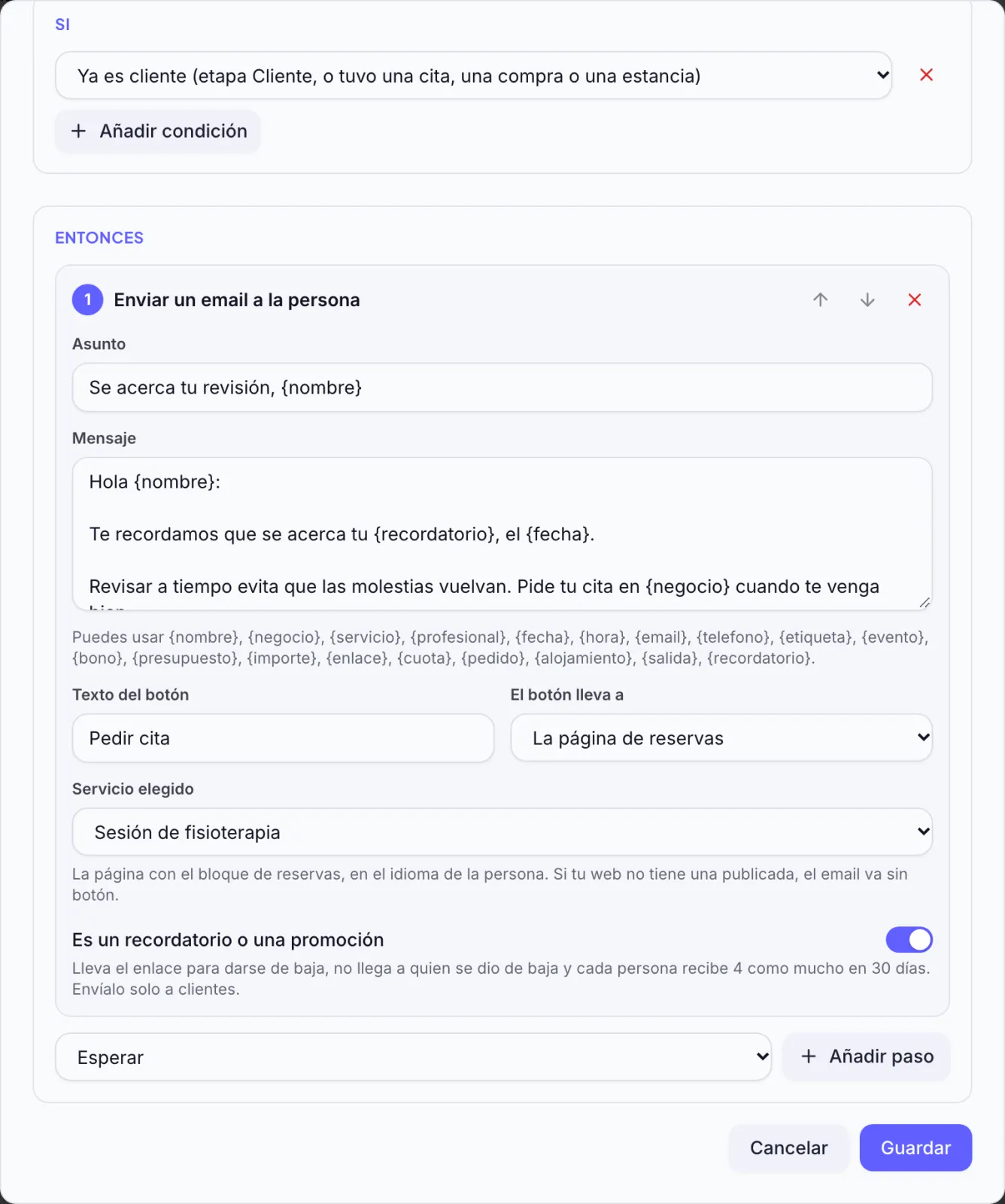
At the top of your automations you see it plainly: “In the last 30 days, your reminders brought 14 bookings and €640”. And each appointment in the calendar tells you when it came from a reminder.
It counts the booking made from the email's button, and also that of someone who didn't tap but booked within the next 14 days, even by phone with you writing it down. Cancelled bookings and no-shows don't count.
- Bookings and euros of the last 30 days
- The figure of each reminder on its own
- “Came through the reminder” on the calendar appointment
- Ask Claude how much they brought
Ready-made templates for your business
Pick one, change the days and the text if you like, and switch it on. You set the intervals: every business has its own.
-
Vehicle inspection
30 days before the vehicle inspection you noted, a reminder with a button to have the car checked before it.
-
Oil change
The oil change or the service is due: if it repeats every few months, the reminder comes back each time.
-
Eye test
Fifteen days before the eye test, so the year doesn't slip by.
-
Pet vaccines
Toby's rabies, booster or deworming, each one with its date.
-
Dental cleaning
About six months after their appointment, if nothing else is booked, the cleaning is due.
-
Repeat the service
Six weeks after the cut or the colour, if they haven't booked again, you remind them it's time.
-
Customers who stopped coming
If a customer hasn't booked in months, you write to bring them back.
-
Win back a no-show
When you mark someone as a no-show, they get an email to book another time.
-
Respects your customer and the law
Only to existing customers, with an unsubscribe link in every email and never more than 4 in 30 days.
How it works
-
Choose a reminder
In Automations, pick the template of your trade and adjust the days and the text.
-
Note the dates
On each customer's card, while you serve them. Or tell Claude.
-
The reminder goes out by itself
A few days before, your customer gets your email with the button to book.
-
See what it brings
Every month you see how many bookings and euros your reminders brought.
Frequently asked questions
How much does it cost?
Email reminders are included in your clixxii plan. The button that opens the booking and the figures of bookings and euros need Online bookings, an add-on of €19 a month per website, VAT not included. During the 14-day trial you use everything for free.
Do they go out by WhatsApp or SMS?
For now, by email. It goes out in your business's name and, if your customer replies, the reply reaches you.
Can I write to my customers without asking them first?
Yes, if done properly. In Spain the law (LSSI, article 21.2) lets you write to existing customers about services similar to the ones they hired, as long as they can easily unsubscribe. That's why the templates only write to existing customers, every email carries its unsubscribe link and your customer's mail app offers one-click unsubscribe.
What if someone doesn't want them?
They tap the link at the foot of the email, confirm, and get no more reminders or promotions from your business. You see it on their card. The emails about their appointments, like the confirmation, keep reaching them.
Could I end up sending too many emails?
No. Each person gets 4 reminders or promotions at most in 30 days, adding up all the ones you have on. And each date is reminded only once.
How does it know which bookings a reminder brought?
It counts the booking made from the email's button, even when someone else books with the forwarded link. And if they didn't tap, that same person's booking within the next 14 days, including the one you add from the calendar. The euros come from the price of each service. Cancelled bookings and no-shows don't count.
Can I run it with Claude?
Yes. With the clixxii connector, Claude notes the dates on your customers' cards, prepares the reminder with your texts and tells you how many bookings and euros it brought.
Your next booking may already be in your customer list
Create your website with clixxii, switch on your reminders and try it free for 14 days, no card needed.